




PRODUCT UX · SELF-INITIATED iOS APP
Starting a
break was easy.Ending it wasn't.
Alight helps students end
a phone break at the time
they chose, without guilt.Research and two rounds
of testing shaped it.

HONOURABLE MENTION
RGD 2026
Student Awards
UX Design

AT A GLANCE
PROBLEM
Two of the four students I interviewed
planned their phone breaks, and ran
over nearly every time.
INSIGHT
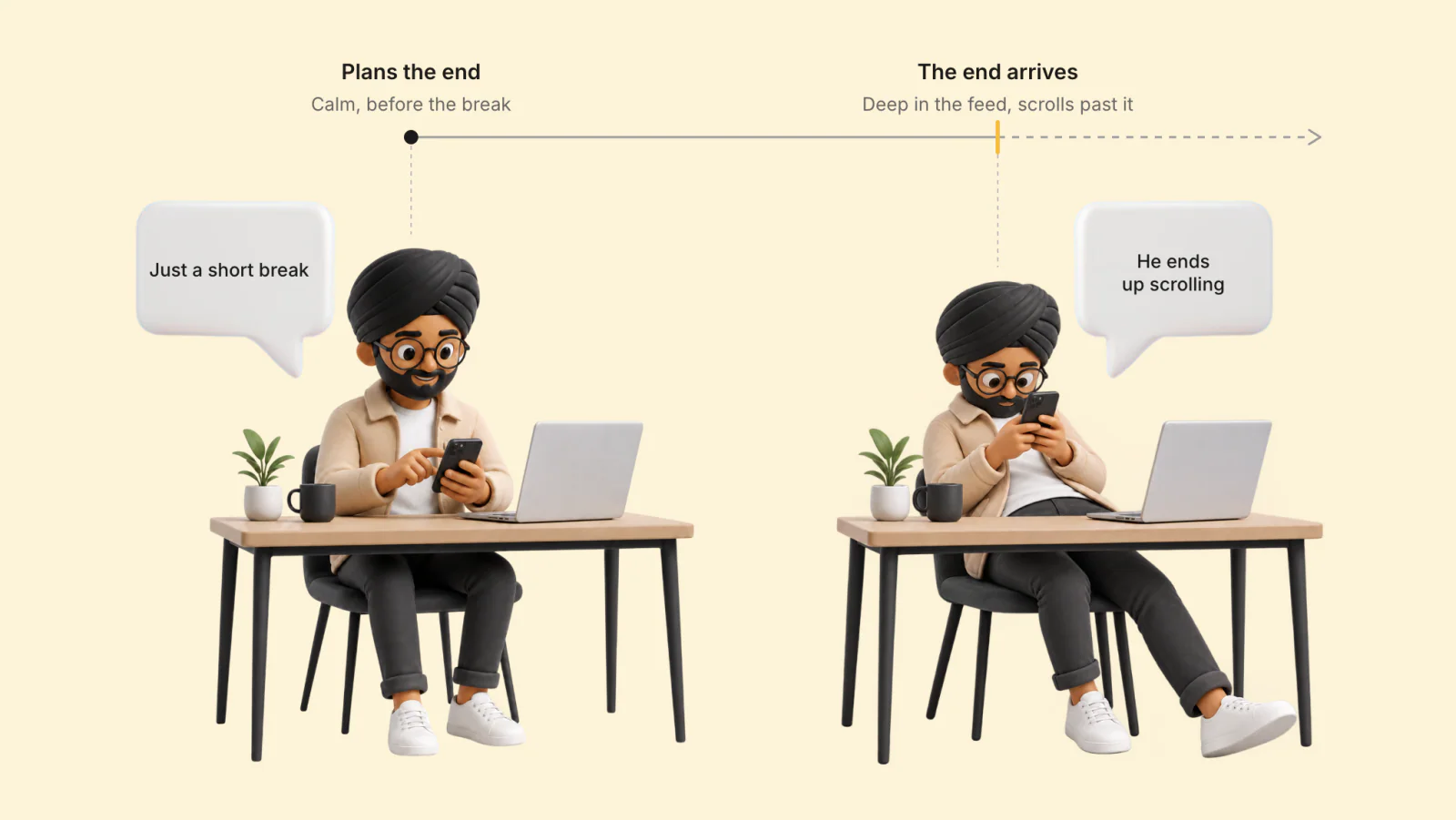
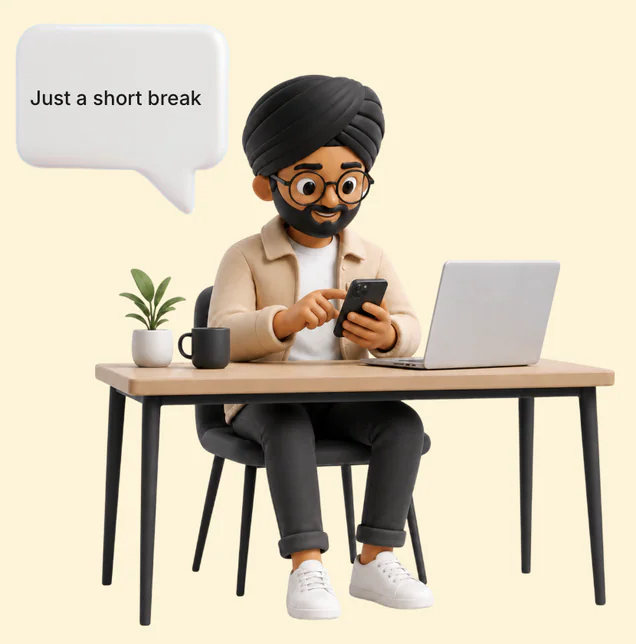
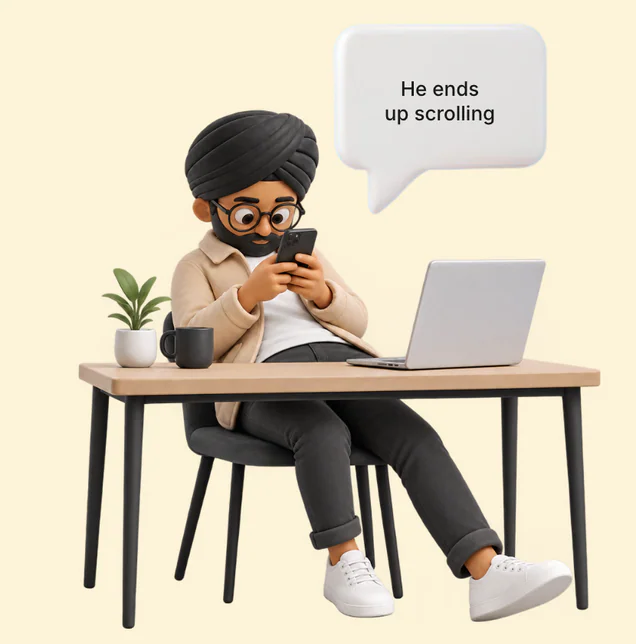
Students plan the end of a break while calm.When it arrives, they're deep in the feed.
HOW IT WORKS
Open an app you put on Alight's watch list, and a shield (a screen that covers the app) offers a break you set up ahead of time. The Dynamic Island (the pill at the top of the screen) counts it down, and the shield comes back on time.
OUTCOME
In both test rounds, the word "land" confused people. It names the button that ends a break (to alight is to land), so onboarding now teaches it. Entered under its earlier name, ELU, the project received an Honourable Mention for UX Design at the RGD 2026 Student Awards.
02 · THE PROBLEM
Hours didn't decide
who had a problem.Whether the session
had an ending did.
I interviewed four students. Two
scrolled for hours at a time. Two
took study breaks that kept
running over. Alight is for those two.
SCROLLS WHEN IDLE
2 to 3 hours
in idle time. Doesn't call it a problem.Stops on their own.
REELS AT NIGHT
Up to 4 hours
a night. Got around app blockers,then deleted Instagram.
BREAKS AT THE DESK
5 to 15 min
past the planned end, on
nearly every break.
BREAKS BETWEEN STUDY BLOCKS
5 to 15 min
past the planned end, on
nearly every break.
THE KEY INSIGHT
You plan the end while you're calm.It arrives when you're
deep in the feed.
Students described not stopping as something
that happened to them, not a choice.
"I end up going to Instagram
reels and then I just can't stop."
"…subconsciously I'm telling myself
that I'm tired… Let me just scroll a little
bit on my phone."
PROBLEM STATEMENT
Students taking a phone break
from studying need to end it at
the time they chose, but by
then they're deep in the feed.
03 · RESEARCH INSIGHTS
Other apps interrupt,
restrict or report.None of them
rewards ending a break.
I ran three kinds of research:
a survey of 11 people (10 of
them students), 4 interviews,
and a competitive analysis of
11 apps. The study is small, so
I give counts, not percentages.
WHY THE TOOLS FAIL
People get around the limits they
set themselves.
Two of the four interviewees had done it. The
first set up app blockers with time limits, then
went into the settings and deleted the limits.
The second got past their own Screen Time
limits by typing in the passcode.
Alight never locks an app for the day, so there is
no lock to get around. It guards the end of each
break instead. A new break is always one tap,
and every break is recorded.
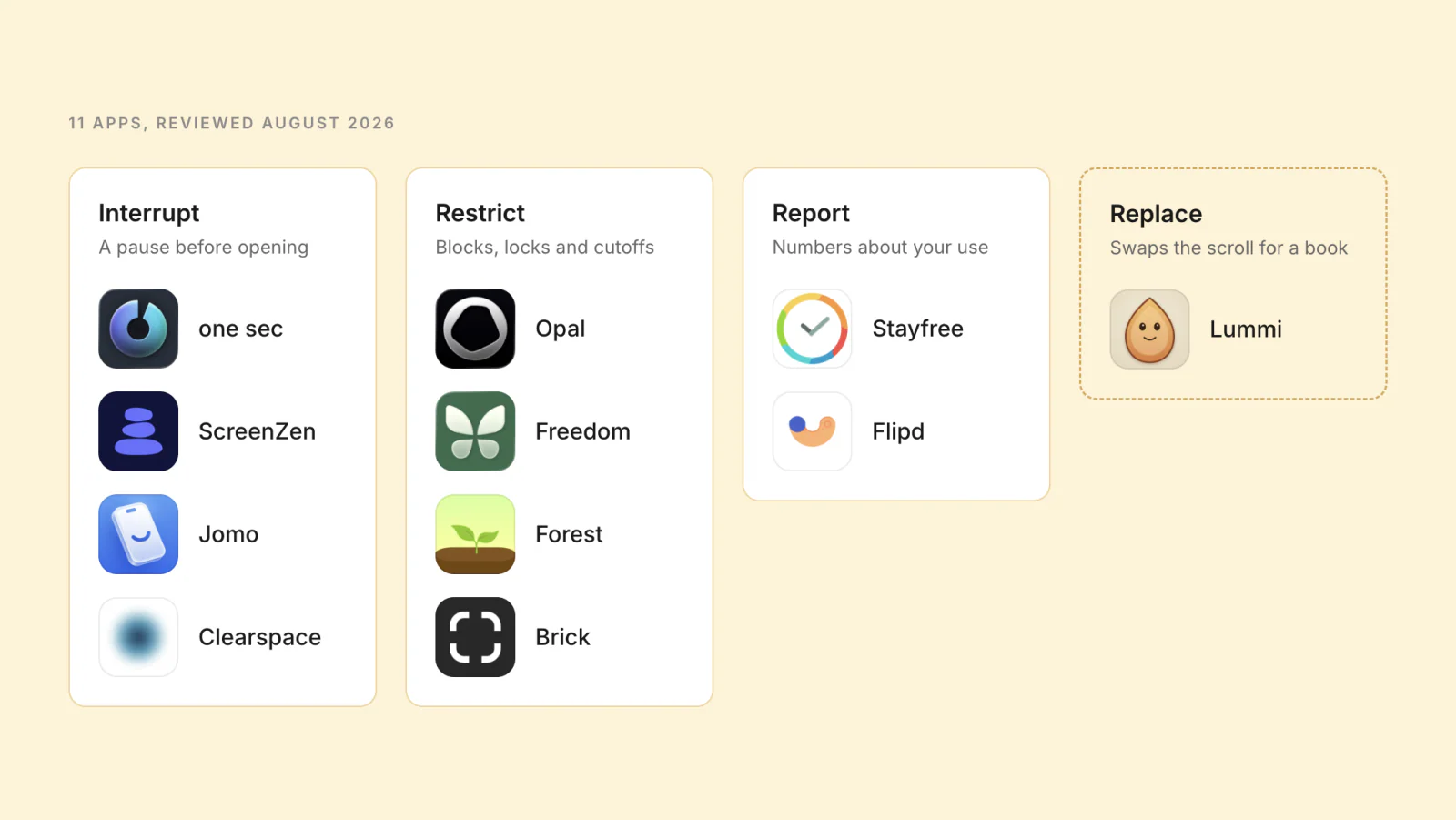
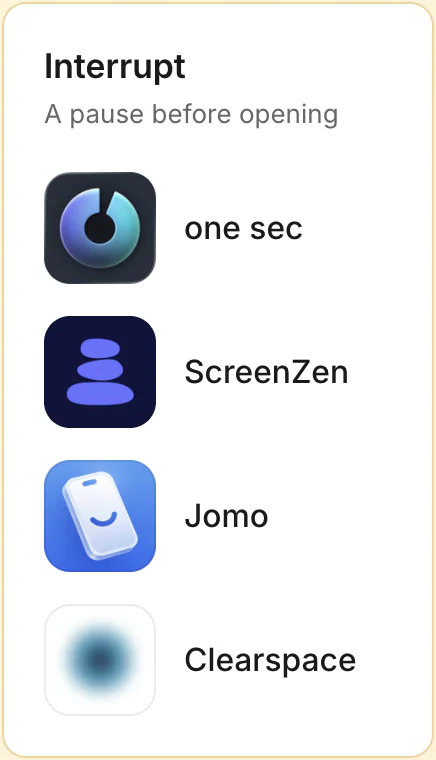
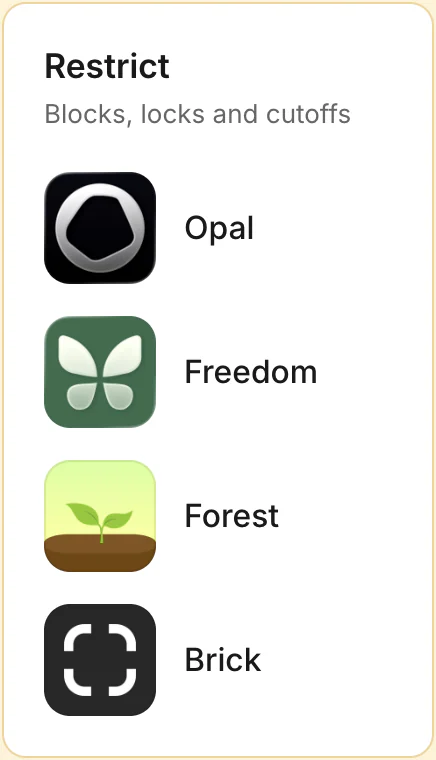
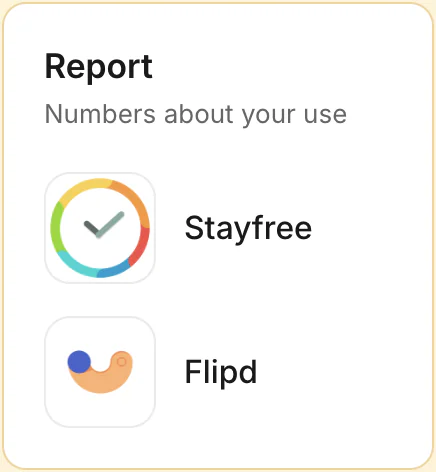
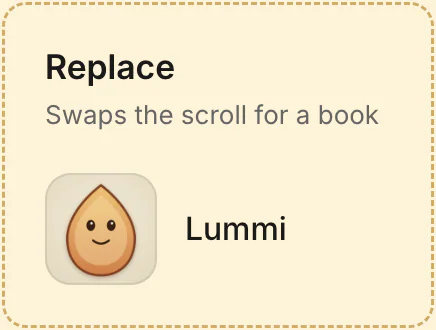
Lummi replaces the scroll with a book.
Opal already uses the island, for its timers
and a Block Again button. Alight puts the
break itself there.
THE GAP
Every reward pays you for
staying away.
Forest grows a tree and Opal gives gems.Alight counts the ending instead.
THE GUILT LOOP
The feeling that ends one scroll
starts the next.
8 of the 11 people surveyed felt guilty after a
long scroll. My reading of what follows: guilt
brings stress, stress looks for comfort, and the
nearest comfort is the phone.
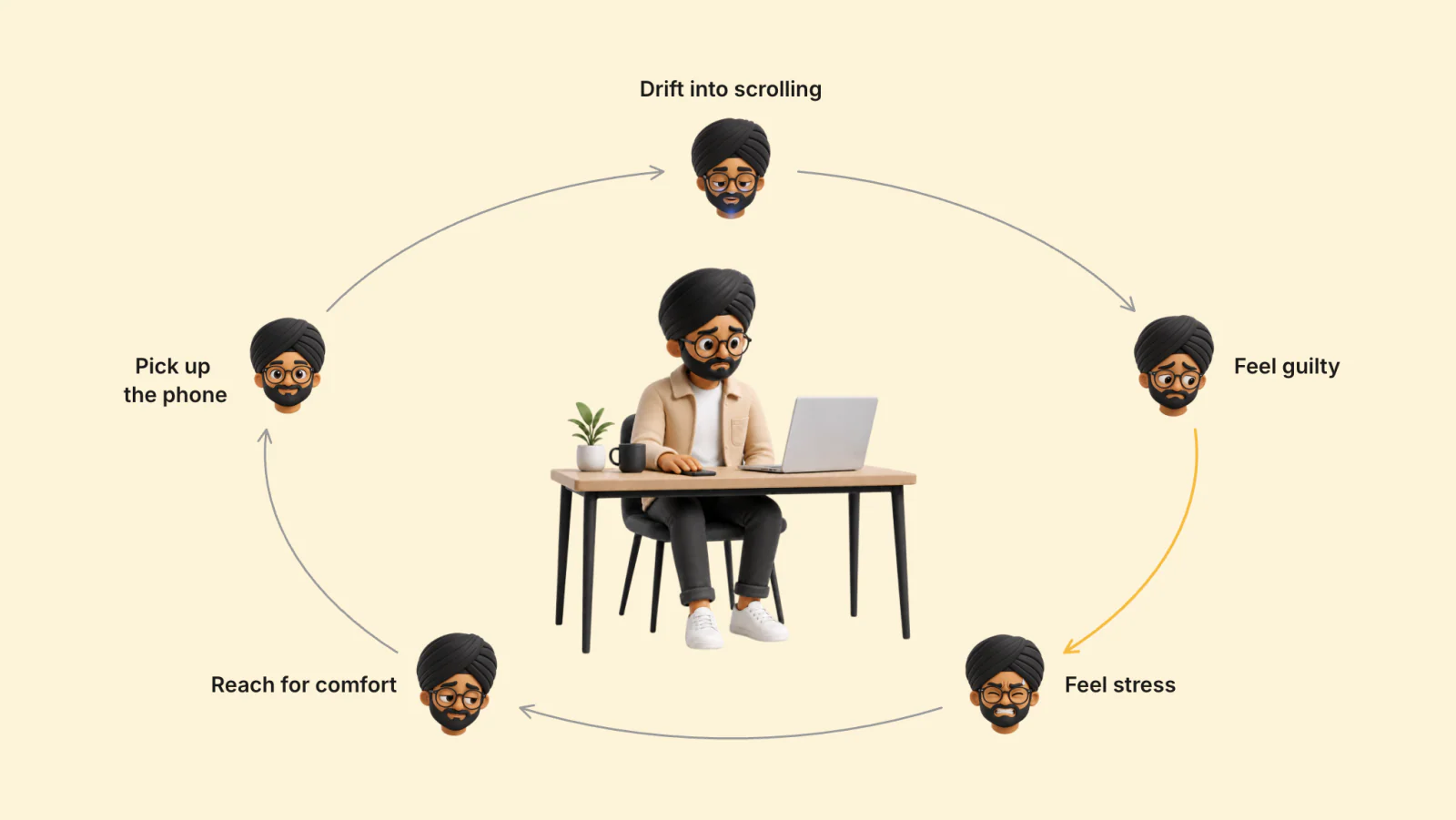




 Drift into scrolling
Feel guilty
Feel stress
Reach for comfort
Pick up
Drift into scrolling
Feel guilty
Feel stress
Reach for comfort
Pick upthe phone
OUTSIDE PROOF
Google's own wellbeing team
found that screen-time
numbers can backfire.
Showing people their screen time had a cost:
"…reminders of their mounting screen time
left them feeling ashamed, confused, and
generally annoyed."
Designing for Digital Wellbeing, Google Design
So Alight never sends a report you
did not ask for.
04 · DESIGN PRINCIPLES
Eight principles,
each with a testany idea has to pass.
When two ideas both looked
good, a principle picked the
winner. When I cut something, I
named the principle that cut it.
THE EIGHT PRINCIPLES
A principle only counts if a sensibleproduct could do the opposite.
Each one below has a real app that does the
opposite on purpose.
-
01
Don't ruin the break
THE TEST
Does it make the break shorter or harder? Pass: no.
FROM THE RESEARCH
The breaks were planned. Running over wasn't (section 02)
WHO DOES THE OPPOSITE
Forest's exit button says Give Up, and the tree dies.
-
02
Decide early, not mid-scroll
THE TEST
When do you have to decide? Pass: before the break starts.
FROM THE RESEARCH
Nobody said they chose to keep scrolling (section 02)
WHO DOES THE OPPOSITE
The app "one sec" asks you to decide every time you open an app.
-
03
Say the fact, don't nag
THE TEST
Is the line about the break or
about you? Pass: the break.FROM THE RESEARCH
8 of 11 felt guilty after a long scroll (section 03)
WHO DOES THE OPPOSITE
Opal's weekly report calls Monday "your most distracting day."
-
04
Reward stopping, not staying away
THE TEST
What gets rewarded? Pass: ending the break.
FROM THE RESEARCH
None of the 11 apps rewards ending a break (section 03)
WHO DOES THE OPPOSITE
Clearspace gives a streak for staying under your screen‑time budget.
-
05
Your numbers wait
until you lookTHE TEST
Did you open the numbers yourself? Pass: yes.
FROM THE RESEARCH
Screen-time reminders shamed people (section 03)
WHO DOES THE OPPOSITE
Stayfree is built around
screen-time reports. -
06
Friends show up,
they don't nudgeTHE TEST
Fact, request or ranking? Pass: a fact, like "Sarah is on a break."
FROM THE RESEARCH
All four interviewees wanted friends in the app. One said comparing made it worse.
WHO DOES THE OPPOSITE
Jomo's Squads share screen time with your group.
-
07
Alight doesn't chase you
THE TEST
Who sent this message? Pass: a friend, or a break you started.
WHO DOES THE OPPOSITE
Duolingo's push: "You made Duo sad."
-
08
Anything can be
switched offTHE TEST
Does the app try to change your mind? Pass: no.
FROM THE RESEARCH
Locks didn't hold: two interviewees
got around their own limits
(section 03)WHO DOES THE OPPOSITE
Freedom's Lock mode stops you uninstalling it.
WHERE ALIGHT ASKS FIRST
Nothing in Alight fights you. Only actions
that remove something ask first:
taking an app off your watch list,
removing a friend, signing out, and
deleting your account.
WHAT PRINCIPLE 04 GIVES UP
Rewarding time away shows results
from day one. Rewarding good endings
is slower: one means little until
a few add up.
FROM PRINCIPLES TO SCREENS
Two lo-fi screens changed because a
principle said no.
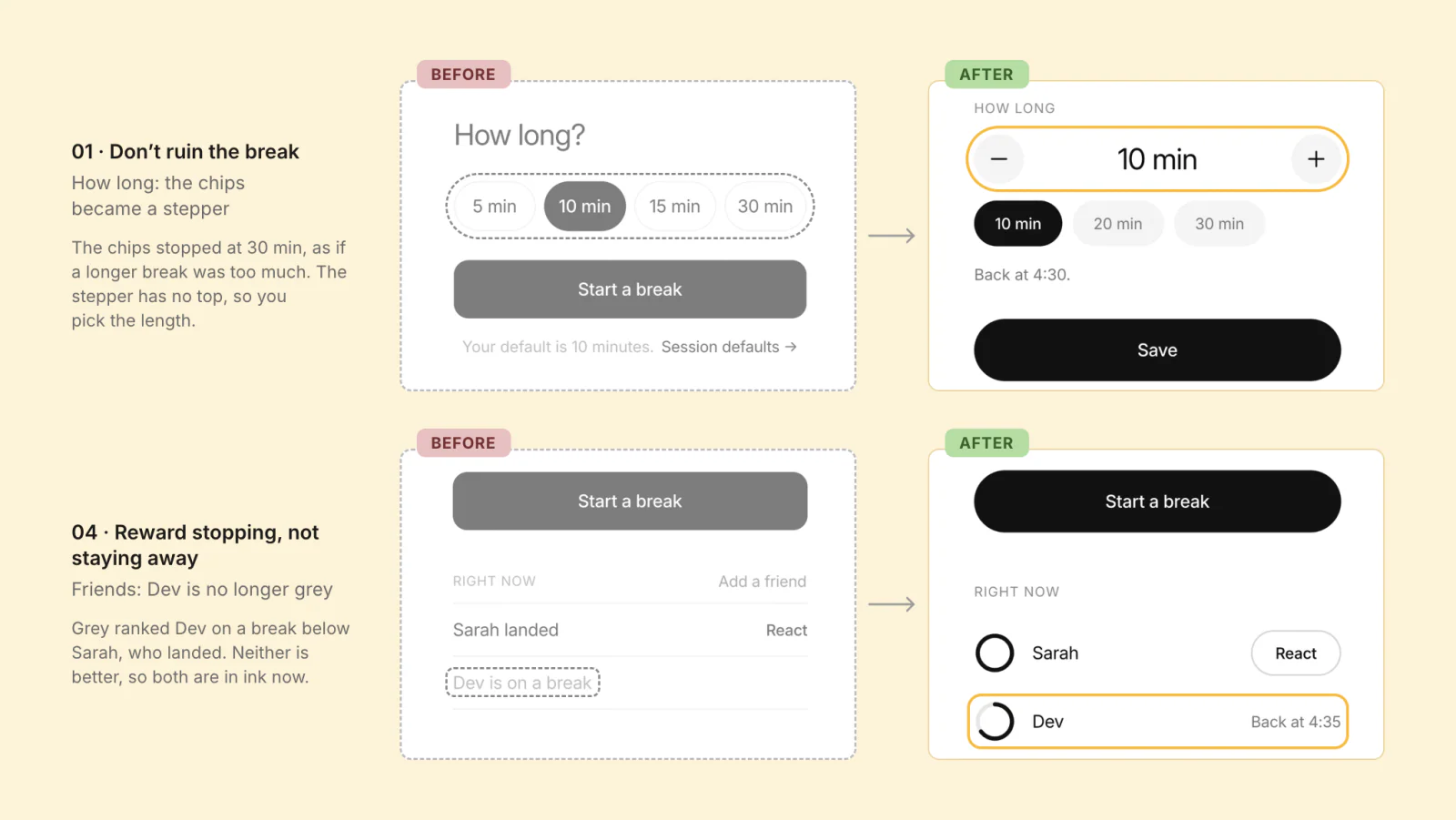
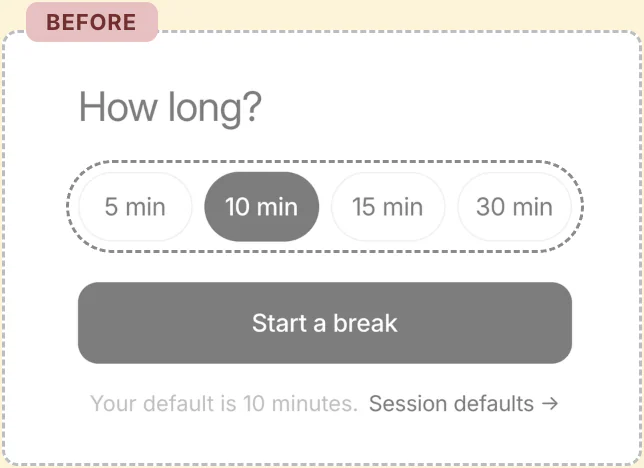
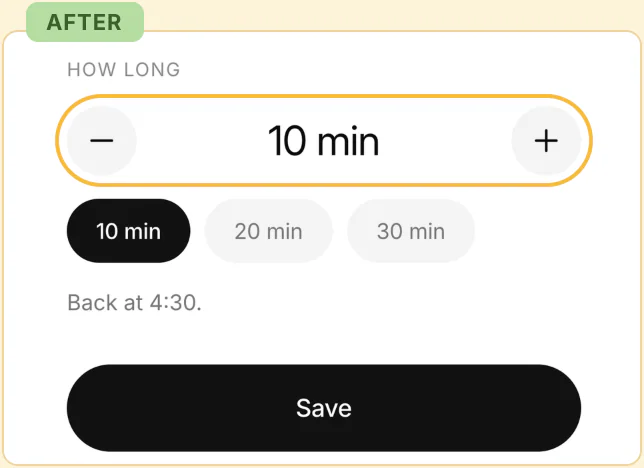
01 · Don't ruin the break
How long: the chips became a stepper
The chips stopped at 30 min, as if a longer
break was too much. The stepper has no
top, so you pick the length.
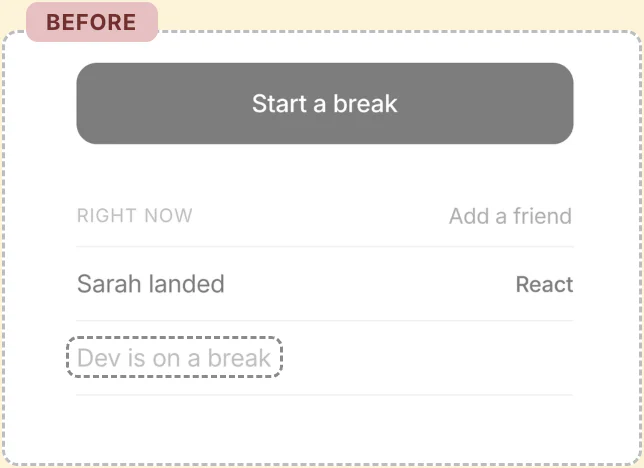
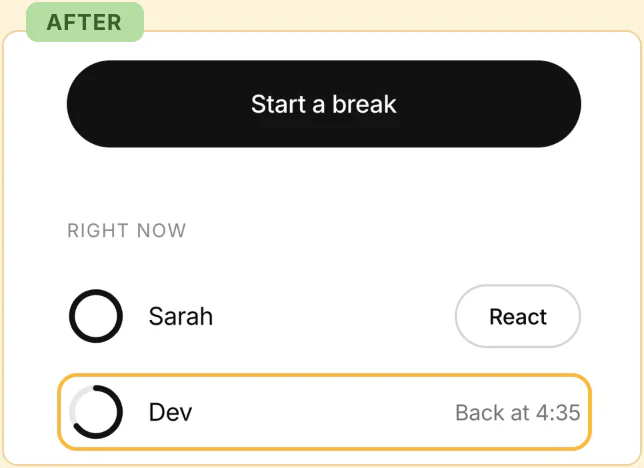
04 · Reward stopping, not
staying away
Friends: Dev is no longer grey
Grey ranked Dev on a break below Sarah,
who landed. Neither is better, so both
are in ink now.
05 · THE SOLUTION
The break is
set before it starts.At the end,
there is one choice.
Five flows. Each plays right here.
PART 1 · BEFORE THE BREAK · ONBOARDING
Set it up once, while you're calm.
In onboarding you pick the apps for your watch
list, and one word for the work that is waiting,
like homework. Later the shield offers a
break in one tap, and when it ends, it says
"Back to homework."
PART 2 · DURING THE BREAK · TAKE A BREAK
The island carries the break
into every app.
Opening Instagram brings up the shield, with a
break already set. Start it, and the island counts
it down. At the return time the island says Now.
PART 3 · AT THE RETURN
TIME · SCROLLED TOO LONG
At the return time, the
shield comes back.
The shield asks one thing: Land now, or +5 min.
The +5 is offered once, then only Land now is
left. The island counts the minutes over until you
land. After 10 minutes it clears, and the break
waits on the Today screen until you land it.
PART 4 · AFTER THE BREAK · YOUR LANDINGS
Landing on time counts. Staying
away doesn't.
Collection counts clean landings and skipped
breaks, each next to yesterday's. A clean landing
is a break ended on time, even with the one +5.
A skipped break is a time you closed the app at
the shield. There is no chain to break, and
nothing is sent to you. Each day also gets a
ring against the daily limit you set. Going past
it locks nothing.
PART 5 · AROUND THE BREAK · FRIENDS
Friends see your breaks and
landings, nothing else.
Friends make the end of a break visible:
someone sees you land. You see each other's
rings on the Today screen and can react to a
landing. No rankings, no totals.
WHY
Friends, yes: all four
interviewees asked for them.Rankings, no: comparison hurt one of them.
Walk the whole app.
The main screens, connected. Go anywhere.
06 · TESTING & OUTCOME
One word confused
people twice.I taught it instead
of replacing it.
Round 1 tested an early version,
called ELU at the time.It found that the words, not the flow,
were the problem.Round 2 gave people tasks in a
Figma prototype, from starting a
break to landing it.
THE WORD THAT SURVIVED
Two words were renamed.
"Land" stayed.
In round 1, people didn't know what "Atlas",
"Studio" or "landing gesture" meant. Before
round 2, I renamed Atlas to Collection and
Studio to Settings. In round 2, people still
misread "Land now", even though I had
explained the app first. To alight is to land, and
the whole product speaks in landings. So I kept
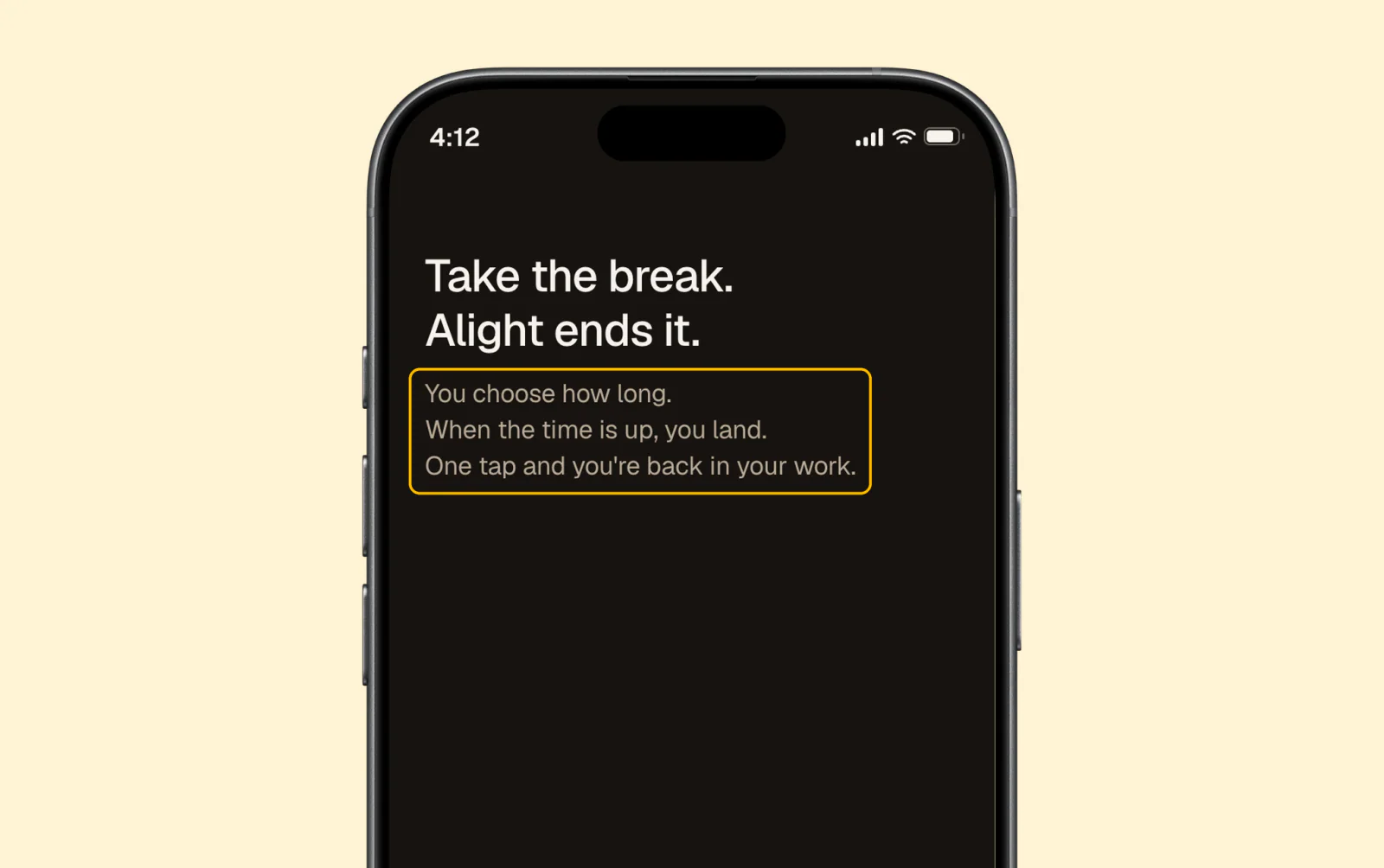
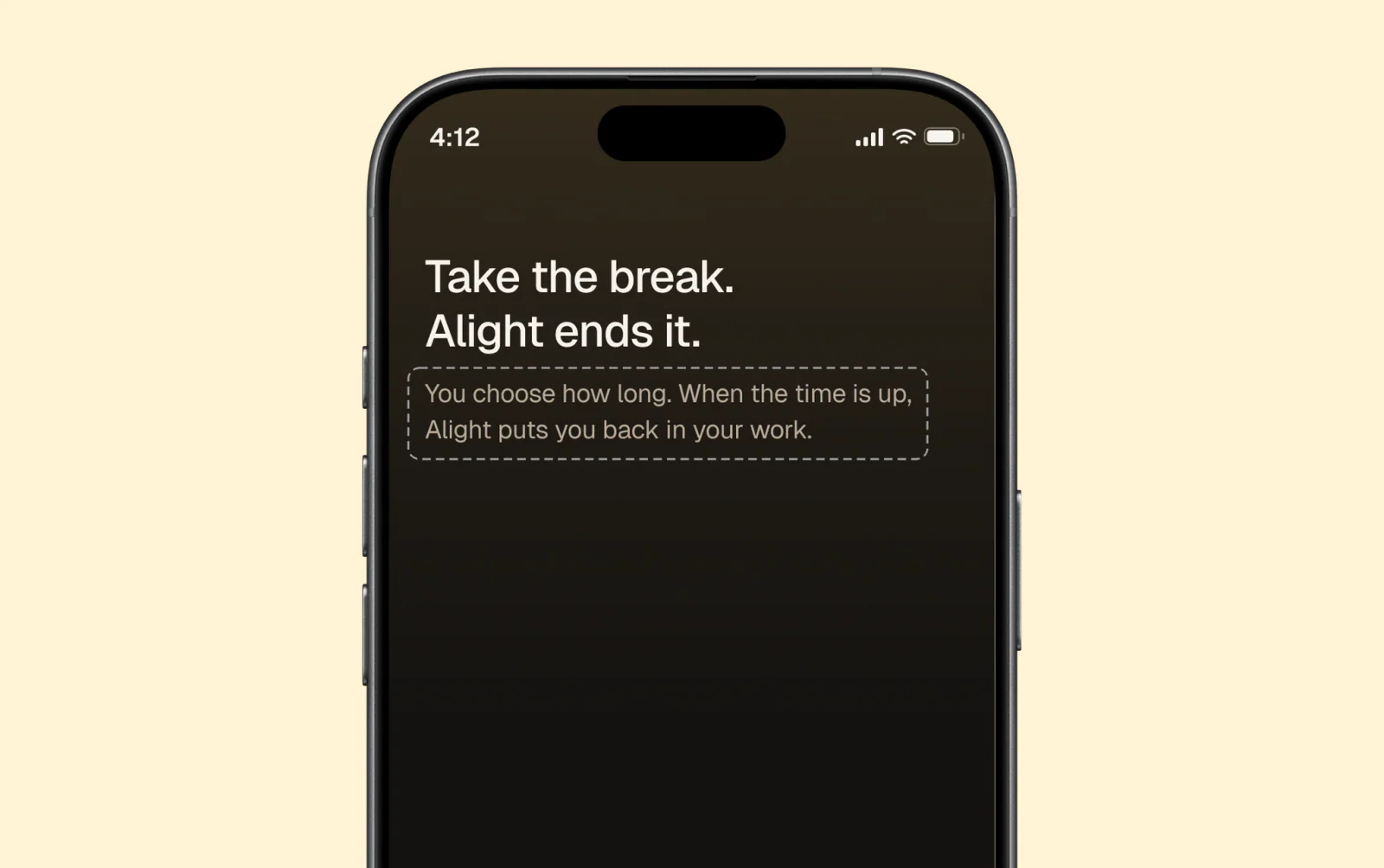
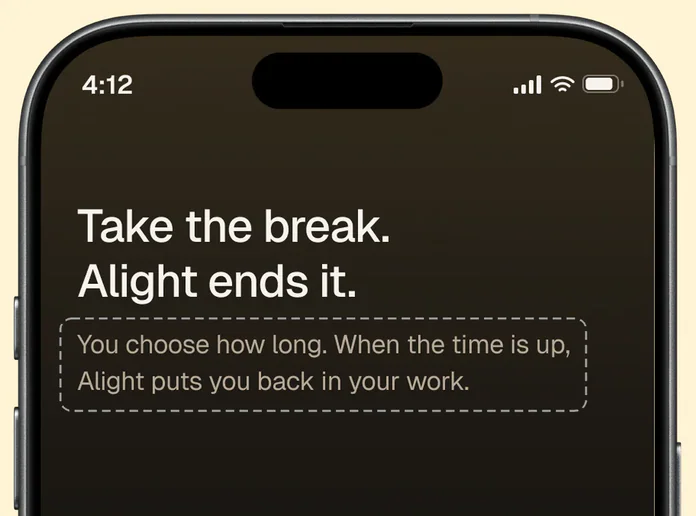
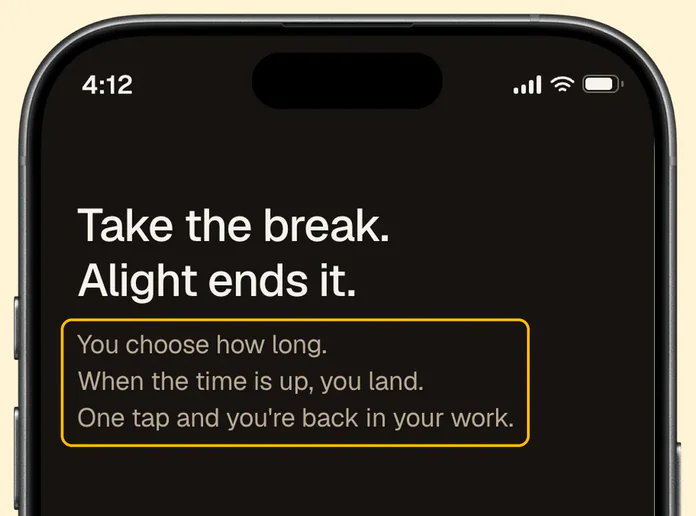
the word and taught it on the first screen:
"When the time is up, you land."
"Am I a plane now?"
Welcome, the first screen
BEFORE
AFTER
Welcome, the first screen
WHAT ELSE TESTING CHANGED
What people did, and what changed.
| WHAT PEOPLE DID | WHAT CHANGED |
|---|---|
| Read "Live Activity" as tracking their use. | Renamed it "Break timer". |
| Left a break open, and looked for one clear way to end it. | The Today screen now says "This break never ended",with a Land it button. |
WHAT PEOPLE DID
Read "Live Activity" as tracking their use.
WHAT CHANGED
Renamed it "Break timer".
WHAT PEOPLE DID
Left a break open, and looked for one
clear way to end it.
WHAT CHANGED
The Today screen now says
"This break never ended",
with a Land it button.
WHAT I DIDN'T CHANGE
The rings read as fitness
rings. I kept them.
Tested alone, with no words, only the landed and
skipped marks read right. The rest read as
progress to a goal, like a watch. But in the app,
each ring sits beside words that say what
happened, like "10 min, ran 14 min", and in
context those words did the work. The test
showed the rings in a way no one will see them.
THE OUTCOME
Never shipped, so it is not proven yet.
The prototype runs the main screens and five
guided flows. Two results would prove it: more
breaks landed on time, and overruns shorter
than the 5 to 15 min students reported. Entered
under its earlier name, ELU, the project received
an Honourable Mention for UX Design at the
RGD 2026 Student Awards.
The judges called the flows "purposeful" and the
design system "meticulous".
07 · REFLECTION
The absent user,
the leading intro,and the word worth keeping.
Three lessons I am
taking past this project.
TAKEAWAY 01
Design for the person who
won't be there.
The calm student who plans the end isn't the
one who meets it. So most decisions belong
before the break. When a decision can't wait,
like ending the break, make it a single tap.
TAKEAWAY 02
How I tested shaped what I learned.
In round 2 I explained the app before the tasks,
so I couldn't use anyone's answer to "what is
this app for": I had already told them. Next time
I'll read a fixed intro, word for word.
TAKEAWAY 03
Keeping a hard word means testing
how you teach it.
One line on the first screen is my first try at
teaching "land". Whether it is enough is the
next thing to test.
Take the break.Land it on time.
Next case study